 Broadser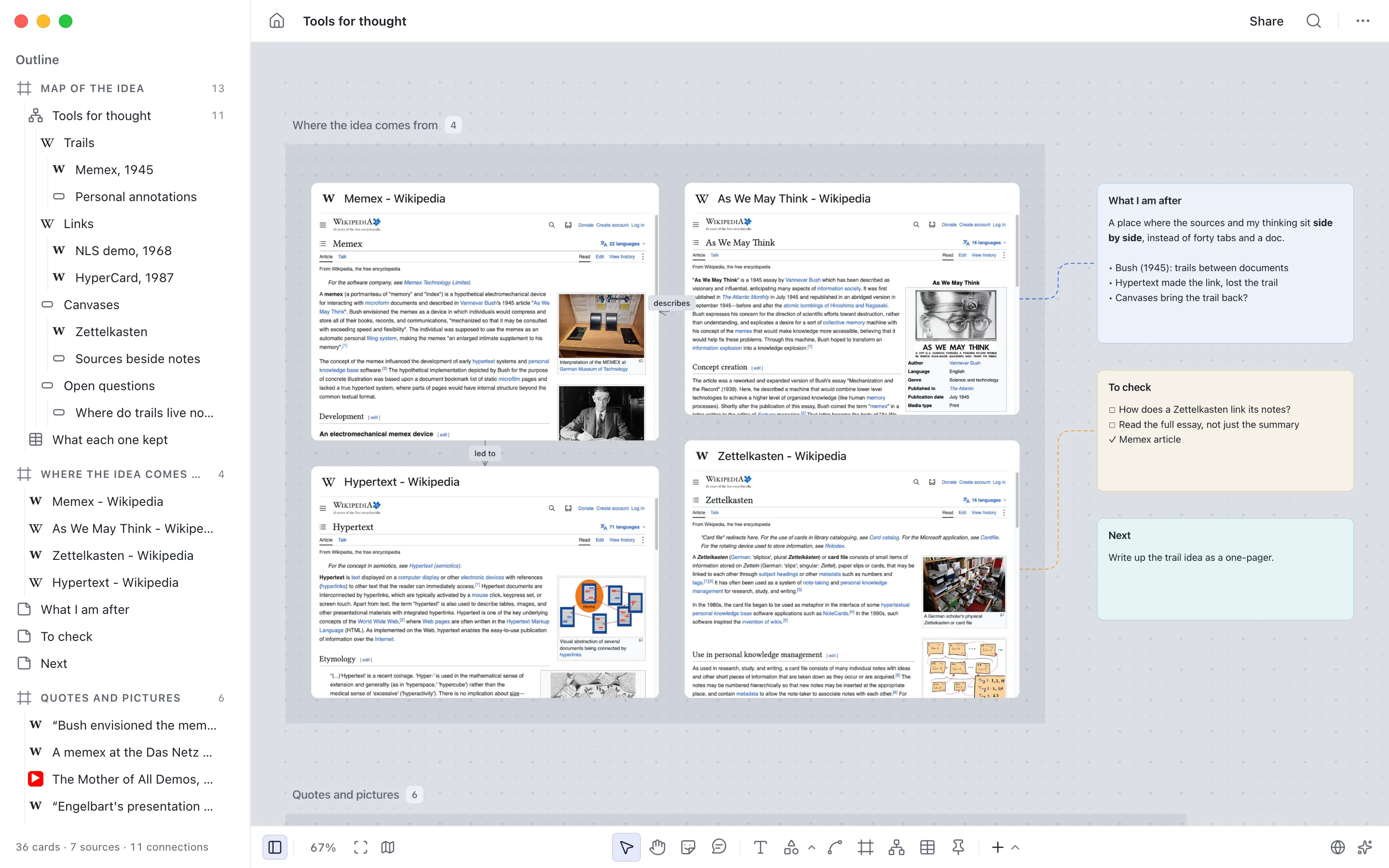
01
Start with a question and three source links
Use a focused question such as “How do links and spatial layouts help people revisit an idea?” A small starting set is Memex, As We May Think and Hypertext. These public links match the topic of the product’s example board; they are starting references, not proof of a conclusion.
Download the research brief for the question, source list and comparison prompts. Keep your own question narrow enough to answer in one short note.
02
Choose the right workspace
Personal boards in Broadser for Mac work without an account and stay on that Mac. The browser app and cloud features require sign-in. Open a fresh board for your own research and name it after the question.
On Mac, pin a page to the canvas; W opens the page tool. The browser version uses saved or uploaded screenshots. Without a screenshot, a page is a source link, and the original page opens in a new tab. A site that blocks embedding can still be kept as a source link.
03
Separate evidence from interpretation
Add one note per source and write three short fields: what the source says, why it matters to your question, and what remains uncertain. Keep quotations visibly distinct from your own interpretation and retain the original URL.
For example, “This source describes a way to connect information” is an observation to verify in the source. “A canvas will improve our team’s recall” is a hypothesis that needs its own evidence. Do not turn the second sentence into a finding simply because it sits beside a source.
04
Arrange, connect and compare
Use frames to separate background, observations and open questions. Add connections between a note and the source it discusses. T creates a note, L starts a connection and F creates a frame; press ? on the board for the full shortcut list.
Compare the sources using the same columns: main idea, kind of connection, and an unanswered question. You can paste spreadsheet cells or a Markdown table into a table. Use the comparison worksheet to prepare those columns before filling them with your own observations.
05
Write a short synthesis with traceable sources
Create a final note with one provisional answer, the source links that support it and one next research step. If a claim cannot be traced to a source or a direct observation, label it as a hypothesis. This makes the board useful to someone who did not watch you build it.
The example screenshot above is an existing product demonstration. It is not a new experiment or evidence that this workflow produced a measured result.
06
Save an independent copy before sharing
For a cloud board, check the sync status before closing. Export a board file when you want an independent copy. On Mac, personal boards remain local; optional cloud boards use their own sharing controls.
Review notes, source links and screenshots before publishing a view-only snapshot. Anyone with its link can open it. Turn it off in Shared links when needed; downloaded copies cannot be recalled. Read the product guide and privacy policy for workspace and sharing details.